Article Overview
The following article describes how to create a Webflow for journeys.
What is a Webflow?
A Journey is a digital process. A journey is built using a Webflow, which defines the process's physical and logical structure. Using a Webflow, you can:
Build and edit the physical structure of a digital process.
Configure the components' design properties.
Set behavioral conditions.
Apply a specific look and feel to a process by selecting a theme.
Create Salesforce integrations.
Deploy and preview a process.
Create a New AI-Generated Webflow For Journeys
(See Figure 1 to Figure 4)
To create an AI-generated Webflow for journeys, perform the following steps:
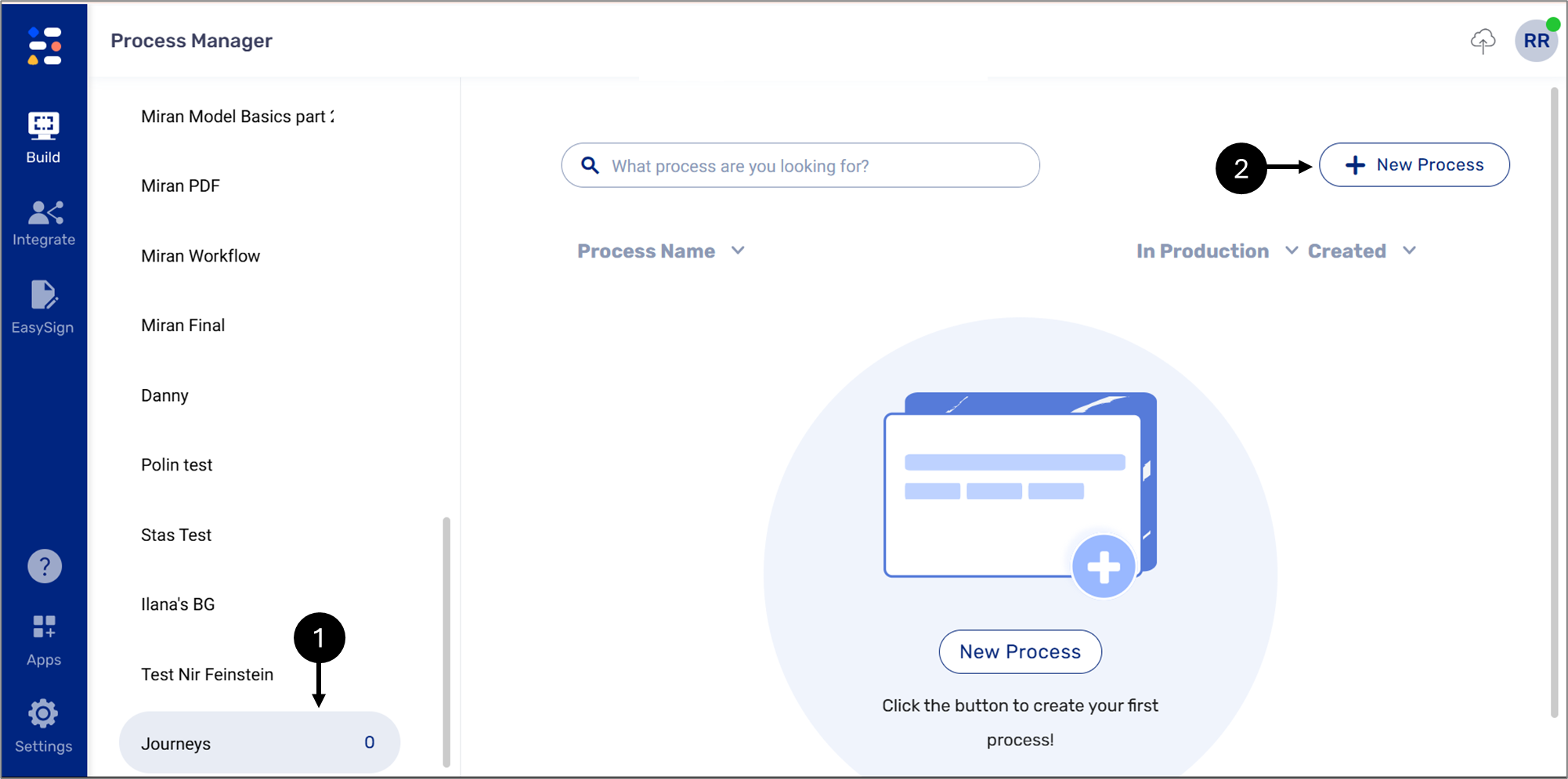 Figure 1: Build -> Process Manager
Navigate to the Process Manager screen.
Click an existing business group or create a new one, and then click it (1).
Click the + New Process button (2).
Result:
The Create a Process Manager window appears:
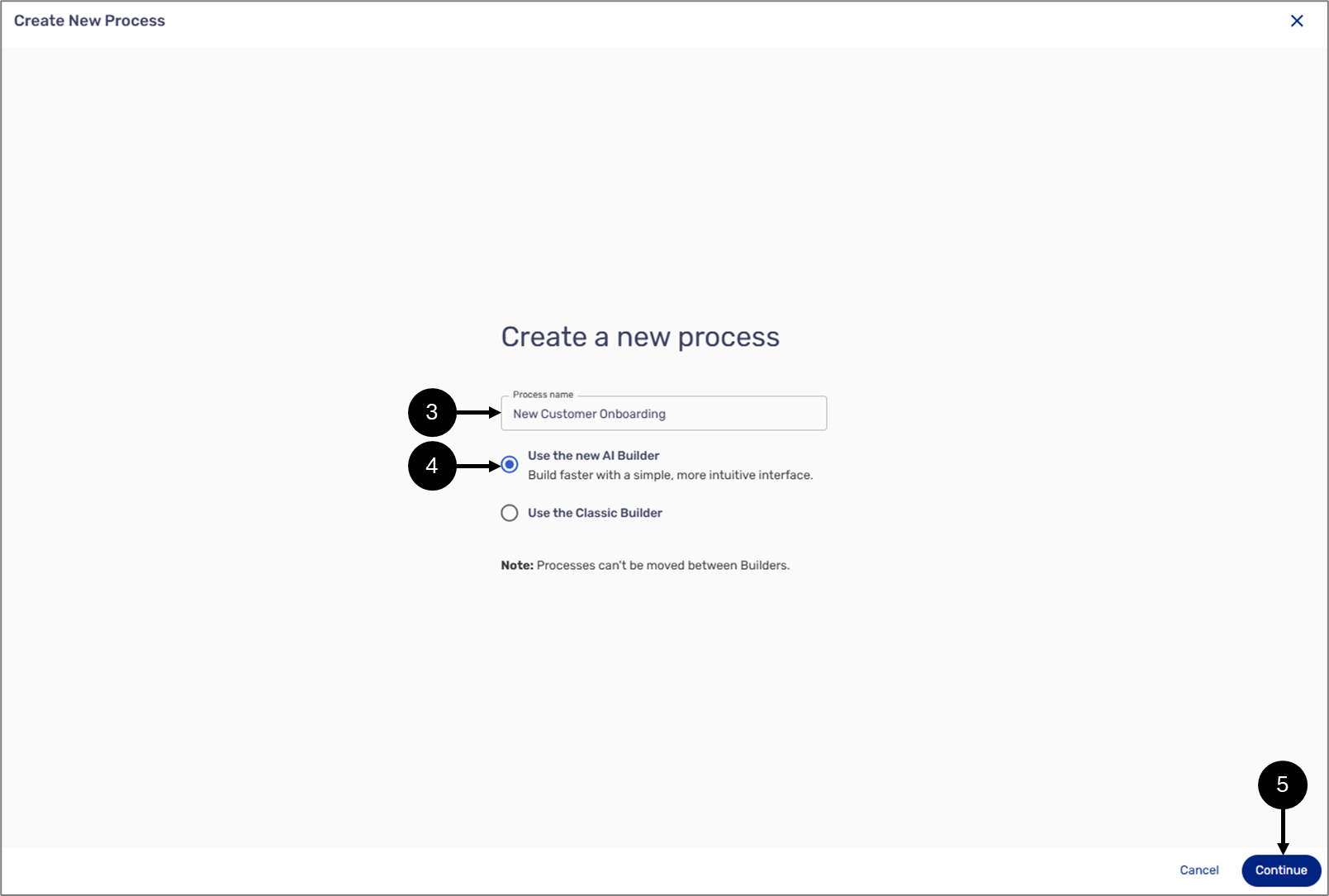
Figure 2: Create a Process
NOTE
If you are using Journeys exclusively and have never created a process in the previous version, the following screen will appear:
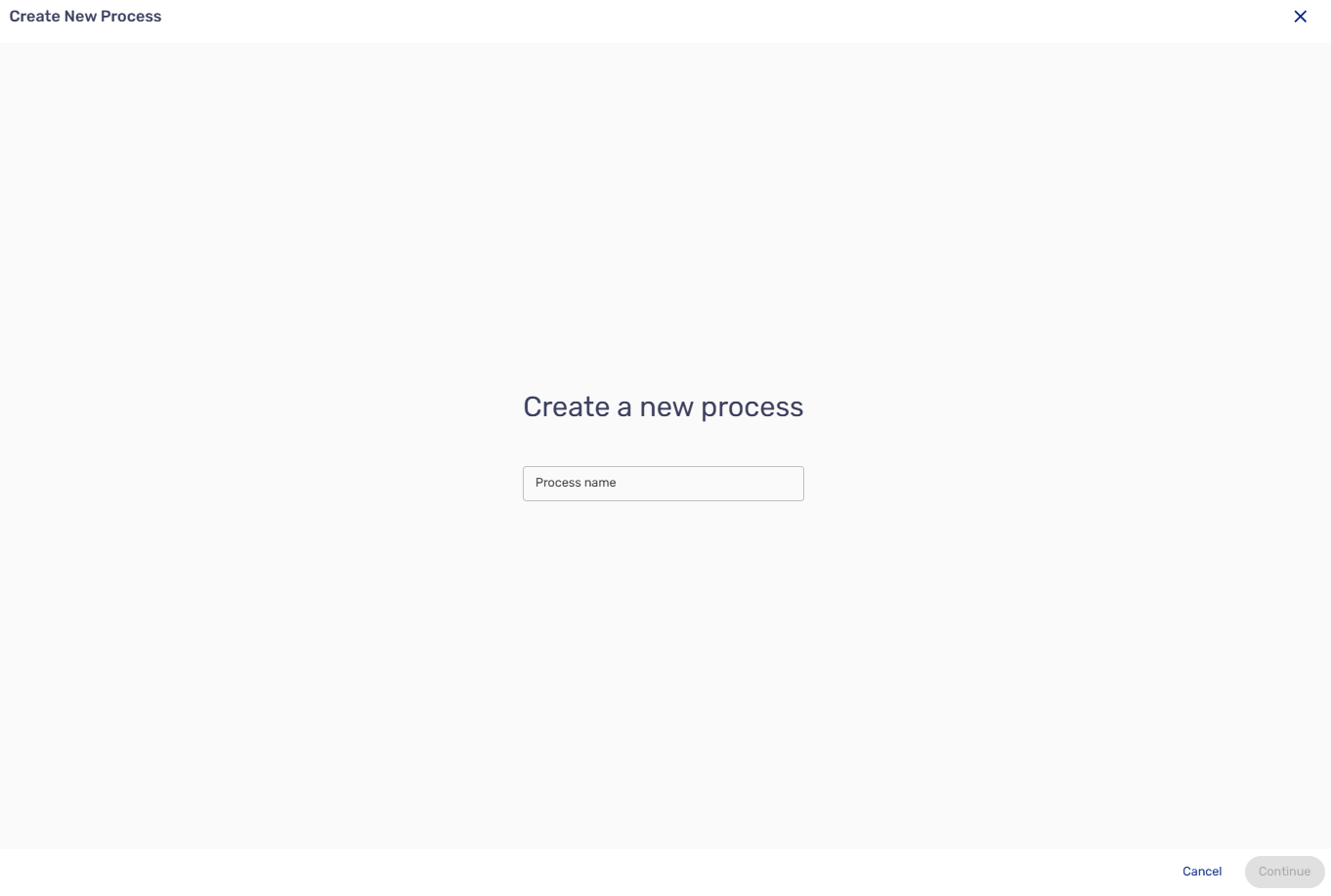
All processes will be created using the new AI Builder.
Enter a Process Name (3).
Select the Use the new AI Builder option (4).
Click Continue (5).
Result:
The Create New Process window appears:
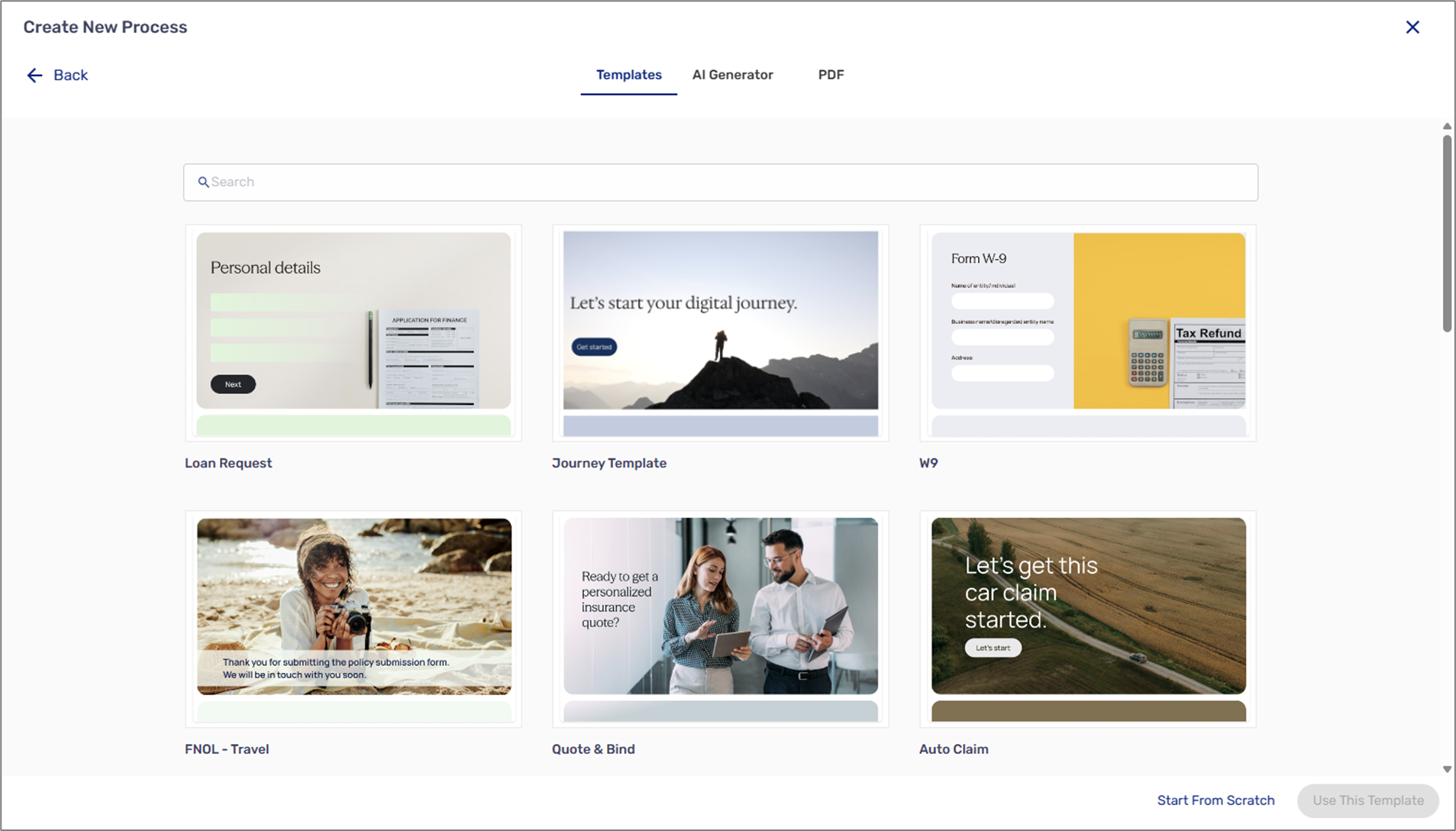
Figure 3: Create New Process Window
Select how to create your first process:
Using a template
By the AI Generator
From A PDF
Starting from Scratch
Result:
The Webflow window appears:
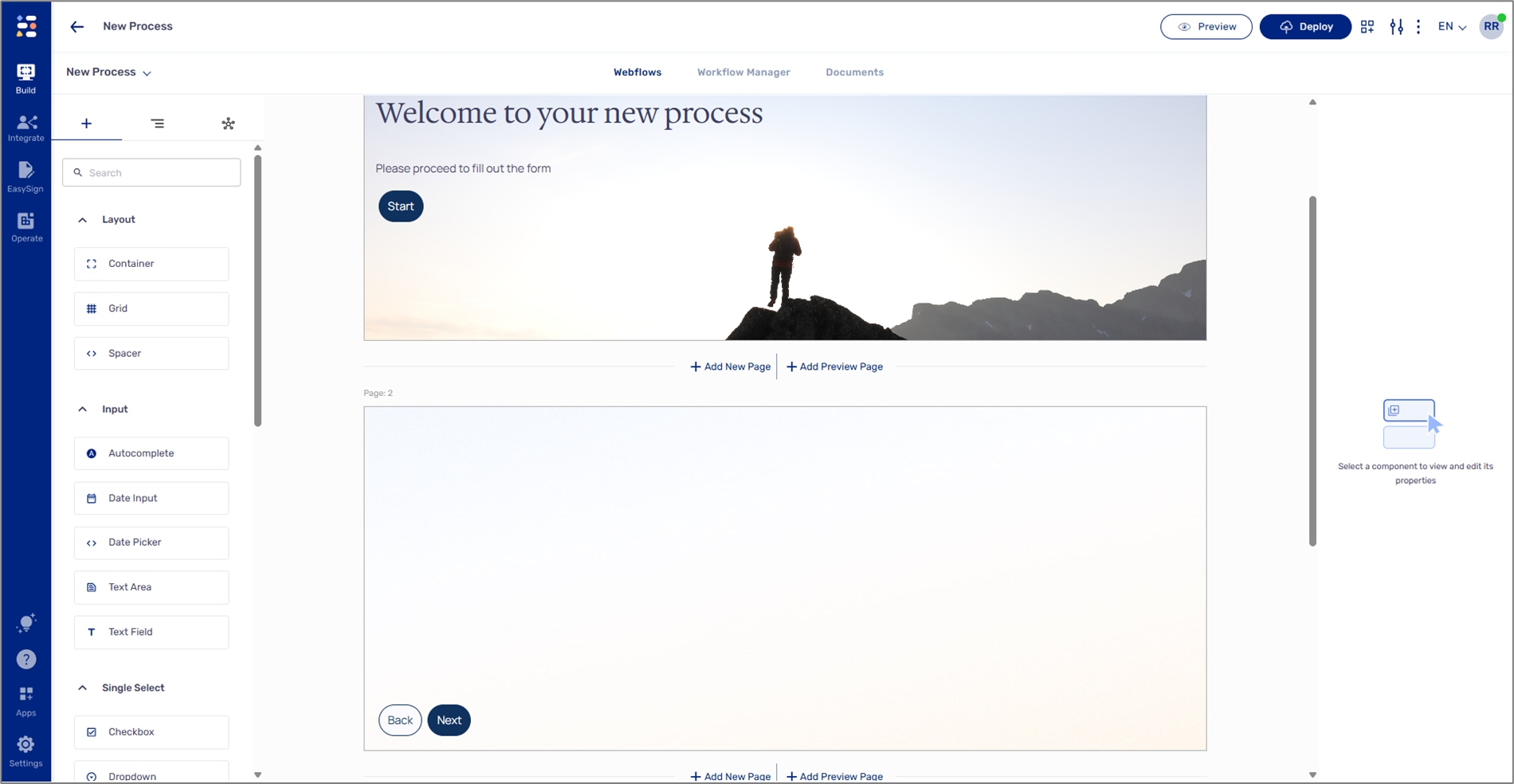
Figure 4: Webflow Main Screen (From Scratch Example)