Article Overview
The following article describes how to troubleshoot a PDF upload error.
PDF Upload Error
In some cases, when a PDF contains compressed accessibility tags, an error will appear (see Figure 1) when trying to upload it to the Builder.

Figure 1: Error Message
Troubelshooting
(See Figure 2 and Figure 3)
To troubleshoot the issue, perform the following steps:
Open your Acrobat.
Open the PDF file.
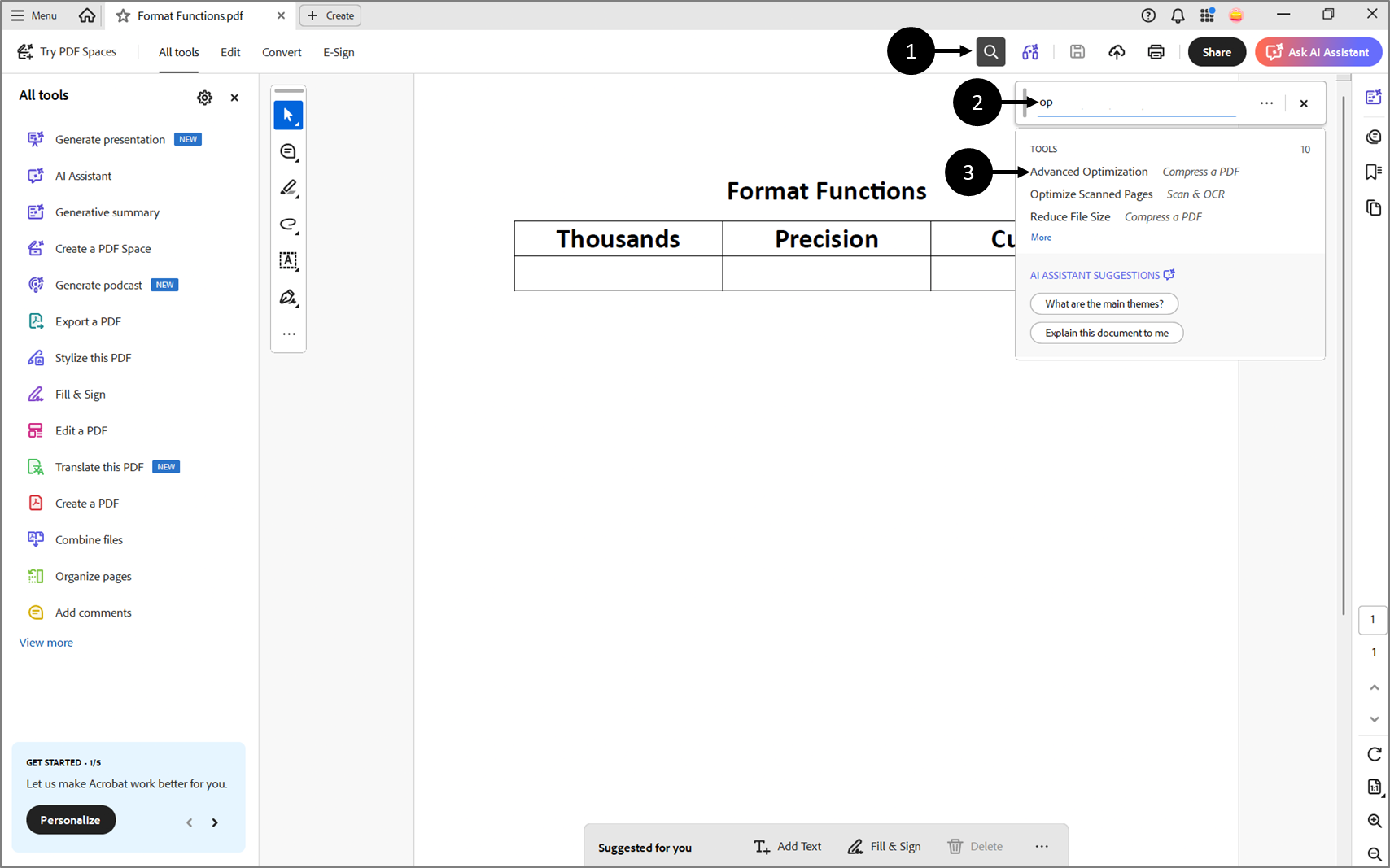
Figure 2: Advanced Optimization Feature
Click the search icon (1).
Start typing to search for the Advanced Optimization feature (2).
When the option appears (3), click it.
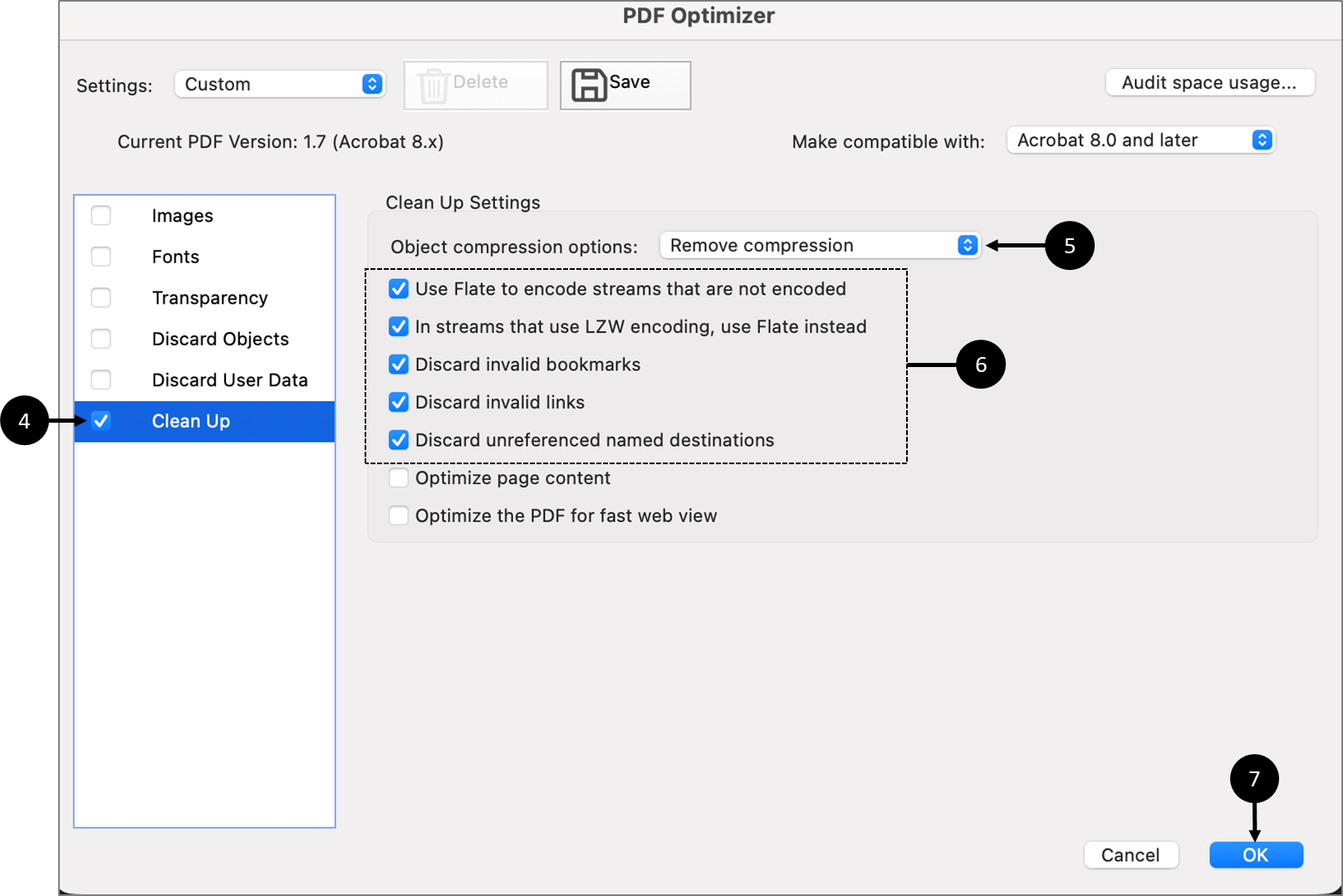
Figure 3: PDF Optimizer
When the PDF Optimizer window appears, check the Clean Up checkbox (4).
NOTE
IF other checkboxes are already checked, uncheck them.
For Object compression options, select Remove compression (5).
Check the boxes (6).
Click OK (7).
Save the PDF.
Upload the saved PDF to the Builder
NOTE
If the troubleshooting steps did not work, please get in touch with our support team.