Overview
The following article describes the URL-Based Theme feature and how to create it.
What is a URL-Based Theme?
A URL-based theme is a theme that gets selected depending on a provided URL/path. The Builder inspects the incoming URL and loads different assets such as:
Colors
Themes
Logos
Images
Business Value
Drastically reduced time-to-first-draft
Manually building a theme means someone (usually the EasySend implementation team, a partner, or the customer's own admin) has to gather brand colors, fonts, logo assets, and component styling by hand, often pulling from brand guideline PDFs or eyeballing the client's website. Pointing at a URL and having the theme scaffold itself turns a task that could take hours into something near-instant. That directly cuts implementation/onboarding time for new bank/insurer customers.
Lower skill barrier for the Builder user
URL-based generation means a less design-savvy user can produce a reasonably on-brand result without needing a designer involved. This widens who can operate the platform, reducing dependency on specialized staff.
Brand accuracy and consistency by construction
Instead of a human interpreting a style guide and potentially getting it slightly wrong, pulling directly from the live website reduces mismatch risk - the generated theme is anchored to the actual current brand assets, not someone's approximation of them.
Scalable theme creation across many brands/sub-brands
For larger organizations that run multiple brands, URL-based generation makes it cheap to spin up a starting theme for each sub-brand rather than manually repeating the styling process per brand.
Frees up implementation/professional-services time
Time that would've gone into manual theme-building can be reallocated to higher-value configuration work; the URL-based generation handles the visual setup automatically, leaving fine-tuning rather than full construction.
Getting Access
This feature is available as a paid add-on and is not included in the standard product offering. To enable this feature and receive pricing information, please get in touch with our Support team.
Creating a URL-Based Theme
(See Figure 1 to Figure 3)
A new URL-Based Theme is created via the Themes screen. After clicking the New Theme button, the Create a Theme window appears with an option to input a URL (1).
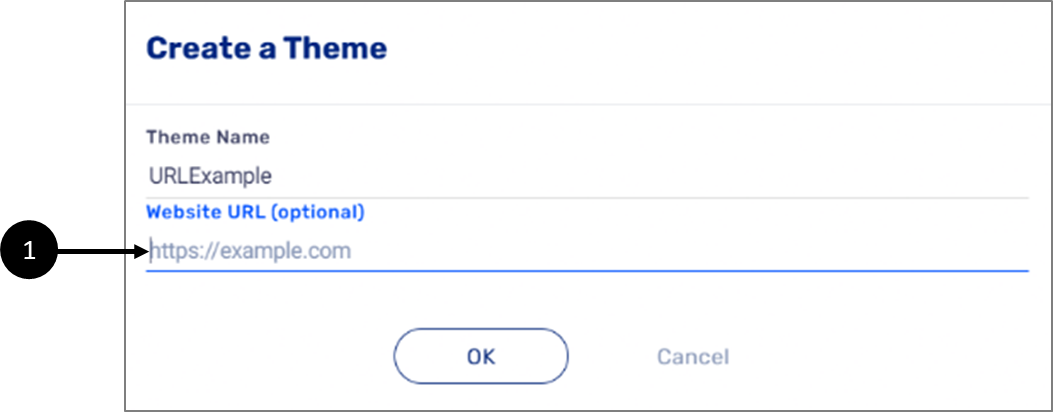
Figure 1: Create a Theme with Website URL Option
Clicking OK will display messages while the theme is being created. For example:
Figure 2: Theme is Being Created
Once the theme is created, it will automatically appear with assets taken from the URL. For Example:
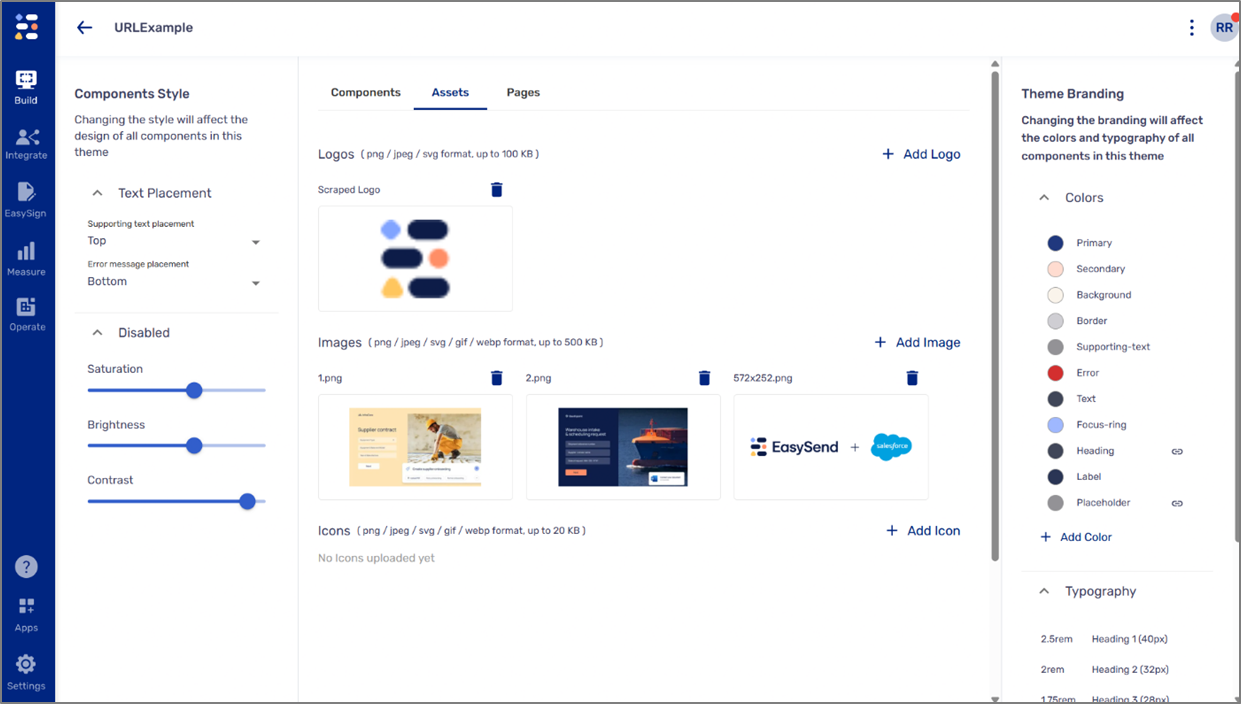
Figure 3: URL-Based Theme