Article Overview
This article describes how to export an initiation payload from an EasySend process.
Exporting an Initiation Payload
(See Figure 1)
You can export an EasySend process payload and use it to initiate a process through an API. The payload mirrors how the process's fields and data items are structured and exports as a JSON file.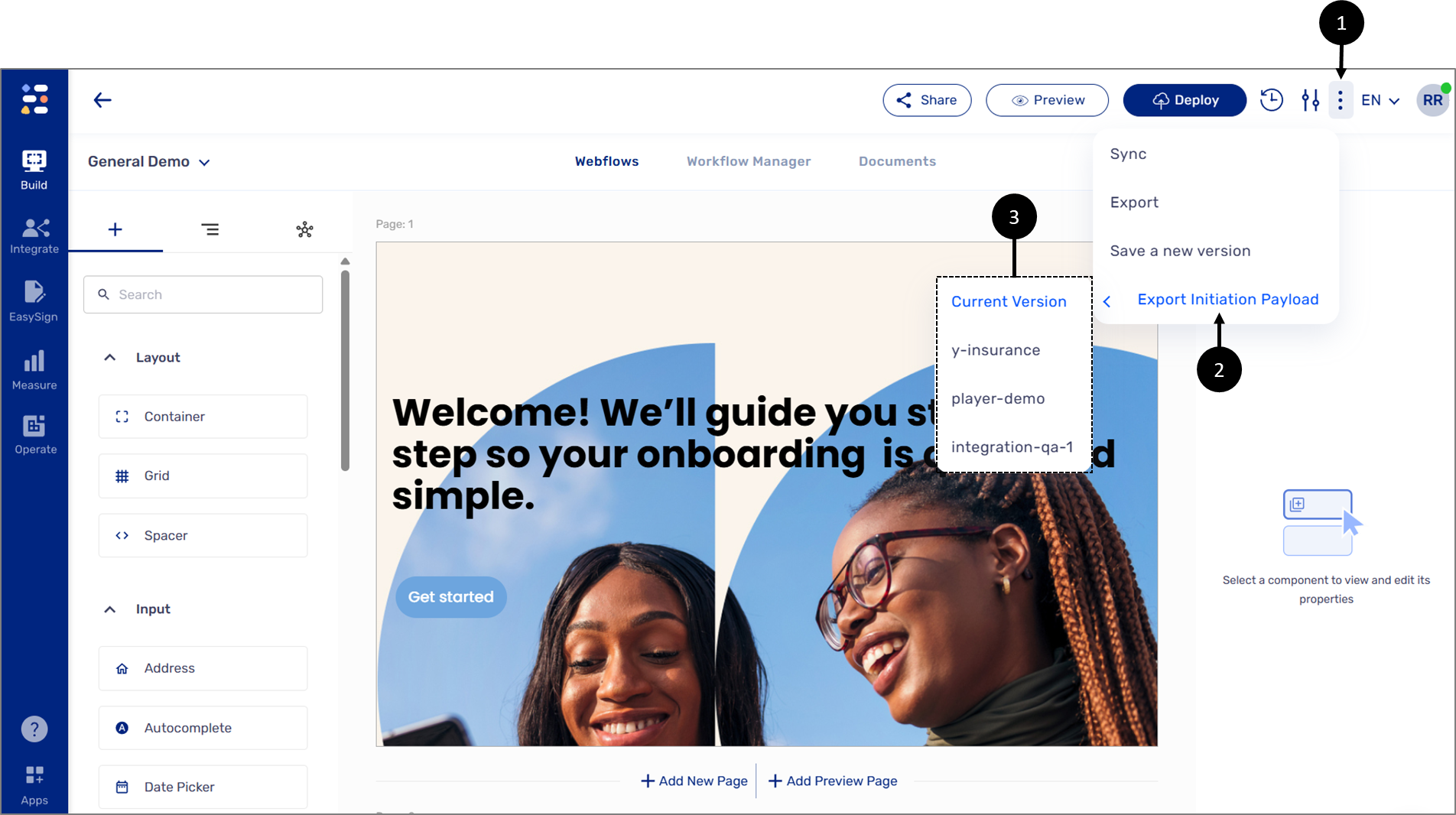
Figure 1: Export Initiation Payload
Select a process and access the Webflow.
Click More Options (1).
Hover over Export Initiation Payload (2).
Click an option (3):
Current Version - the most currently deployed version.
The last version that was deployed to a specific server, Dev or Prod.
View your exported JSON file, for example:
{
    "apiKey": "",
    "customerId": "y-insurance",
    "processId": "u69XOMDsA0VBjNIoXvvW",
    "serializedModel": {
        "ijCa15xi0B": {
            "page_1": {
                "idNum": "",
                "gender": "",
                "activityRemindersPopup_30": false,
                "birthDate": "",
                "textarea_43": "",
                "textField_44": "",
                "fullName": "",
                "email_45": "",
                "phone_46": "",
                "name_51": ""
            },
            "welcome_page": "",
            "page_2": {
                "role": "",
                "isThirdParty": false,
                "dateOfHire_43": "",
                "dateOfHire": "",
                "companyName": "",
                "name_52": ""
            },
            "page_3": {
                "iWantToUploadMy": false
            },
            "page_4": {
                "iWantToUploadMy_copy": false
            },
            "preview_page": "",
            "thank_you_page": "",
            "page_6": {
                "firstName": "",
                "lastName_copy": "",
                "relationship_copy": "",
                "emailAddress_copy": "",
                "phoneNumber_copy": "",
                "doYouWantToAddK": "",
                "container_29": {
                    "array_31": [
                        {
                            "firstName": "",
                            "lastName": "",
                            "birthDate": ""
                        }
                    ]
                }
            }
        }
    }
}